IN999 Login Portal Secure Access
Master Guide to Secure Sign-In
Logging into your IN999 Game account grants you direct access to your verified digital wallet, active gameplay sessions, and your personalized VIP dashboard. The portal utilizes a heavily encrypted token-based session management system. This guarantees that your balance and personal credentials remain shielded against unauthorized access at all times.
Many users appreciate the seamless mobile integration of the IN999 portal. You can easily switch between 4G, 5G, and Wi-Fi networks without being abruptly logged out, ensuring your 1-minute prediction rounds are never interrupted.
Crucial Account Safety Tips
Your IN999 wallet is equivalent to a digital bank account. Therefore, it is imperative to practice basic security hygiene. Never share your password or any SMS OTP with third parties. Be aware that official IN999 administration, customer service representatives, or Telegram mentors will never ask you for your account password under any circumstances.
Always ensure you are accessing the login portal through official bookmark links or verified promotional pages to avoid phishing attempts. If you suspect any unusual activity, change your password immediately through the built-in recovery system.
Login and Password Recovery Process
- Click the login access button at the bottom of this page to reach the official gateway.
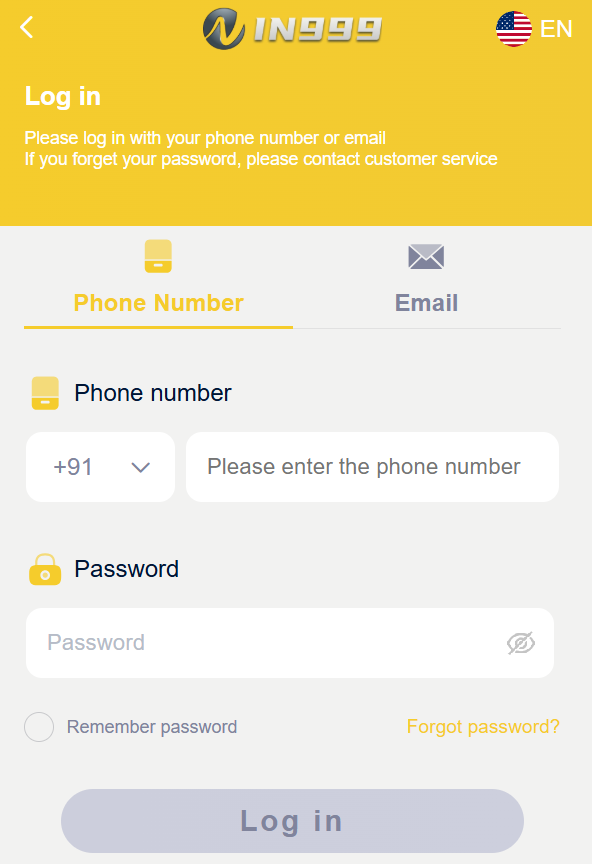
- Toggle to the 'Phone Number' login method and select the +91 country code.
- Enter the exact 10-digit mobile number used during registration.
- Type your password and click the 'Remember Password' option if you are on a personal device for faster future access.
- Forgotten Password? Click the "Forgot Password?" hyperlink. Enter your mobile number to trigger an official SMS OTP. Submit the OTP code to securely generate a brand new password and regain access to your funds.